Lowe's

Price Labels App

Mobile App | Android Zebra Device

150,000+ Users | Merchandising Store Associates (Blue Vests) & Customer Support Store Associates (Red Vests)
The Price Labels App is used for exactly what its name indicates - it's used by store associates to maintain the prices displayed in store. Through the app, users pair their devices with price label printers that are scattered around the store on carts to keep them mobile.
Product Team Structure: 1 Product Designer (also operated as PM), 5 Engineers
Feature: Promotional Pricing Signage

Problem Statement: Field and business leaders had no visibility into the accuracy and execution of promotional pricing signage. Each week the store would receive a package containing updated promotional signage along with printed paper instructions. Store associates were left to fill in the gaps of vague instructions (stores had varying layouts so there could be no "one size fits all" direction). There was also no visibility into how much signage was superfluous or insufficient in quantity, and promotional price signage was often left on display past the expiration of the promotion, leading to sales loss. Business partners estimated a $26-100 million unlock.
Feature: Promotional Pricing Signage

Problem Statement: Field and business leaders had no visibility into the accuracy and execution of promotional pricing signage. Each week the store would receive a package containing updated promotional signage along with printed paper instructions. Store associates were left to fill in the gaps of vague instructions (stores had varying layouts so there could be no "one size fits all" direction). There was also no visibility into how much signage was superfluous or insufficient in quantity, and promotional price signage was often left on display past the expiration of the promotion, leading to sales loss. Business partners estimated a $26-100 million unlock.
Project Duration: October '25 - February '26

Price Labels App

Mobile App | Android Zebra Device

150,000+ Users | Merchandising Store Associates (Blue Vests) & Customer Support Store Associates (Red Vests)

Requirements Gathering

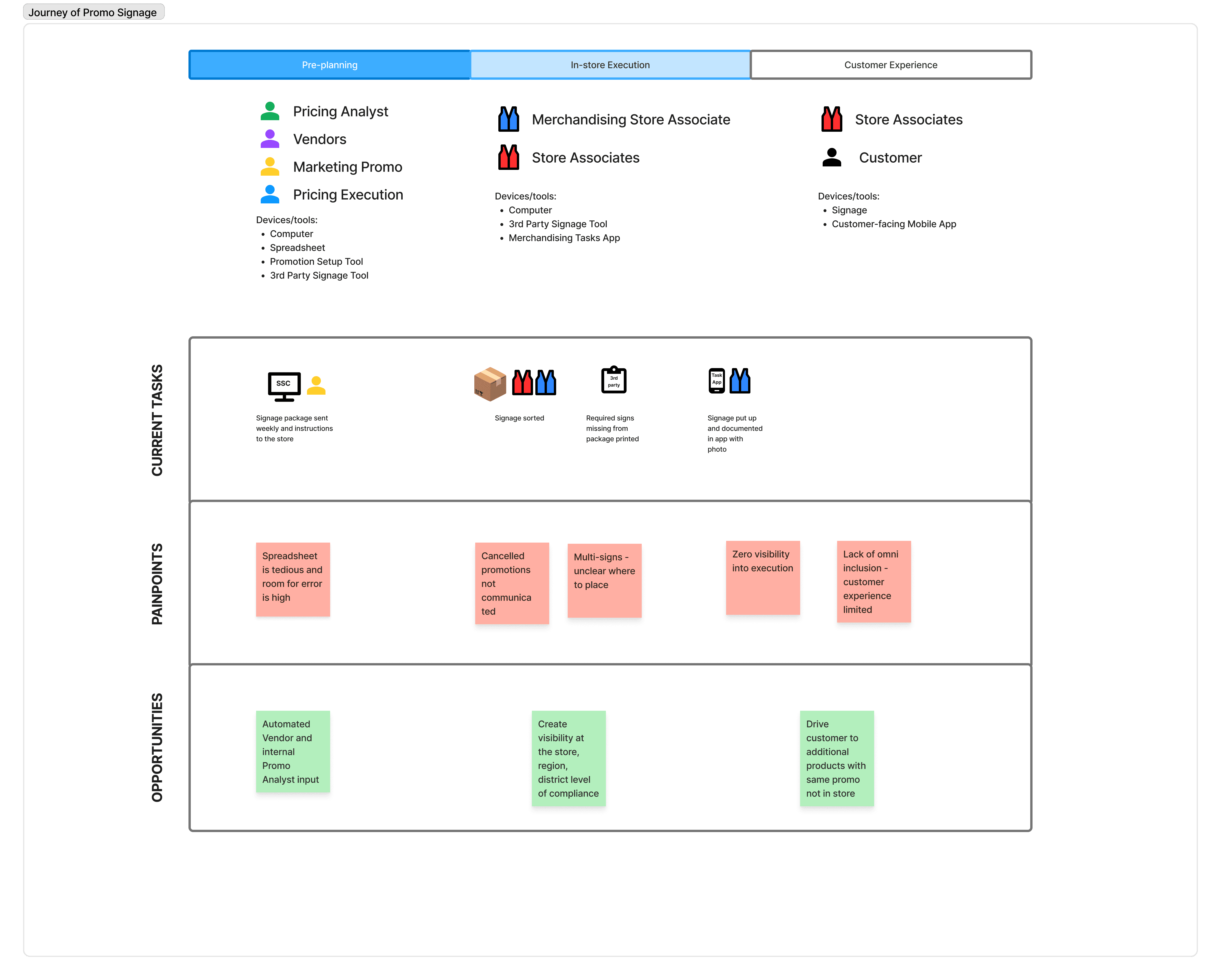
For this particular project, I played both the role of Product Designer and Product Manager. As a result, I heavily collaborated with business partners as well as product partners responsible for other tools within the same ecosystem to determine our scope of work. Below is a journey map I created during our kick-off workshop for the Promotional Pricing Signage workflow. This became a living document that I referenced and added to throughout my discovery process. During the session, we identified three overarching phases: Pre-planning, In-store Execution, and Customer Experience. My product specifically fell within the In-store Execution phase, but I captured information about the upstream and downstream systems so that I could later connect with those teams on dependencies and the flow of data.
User Validation

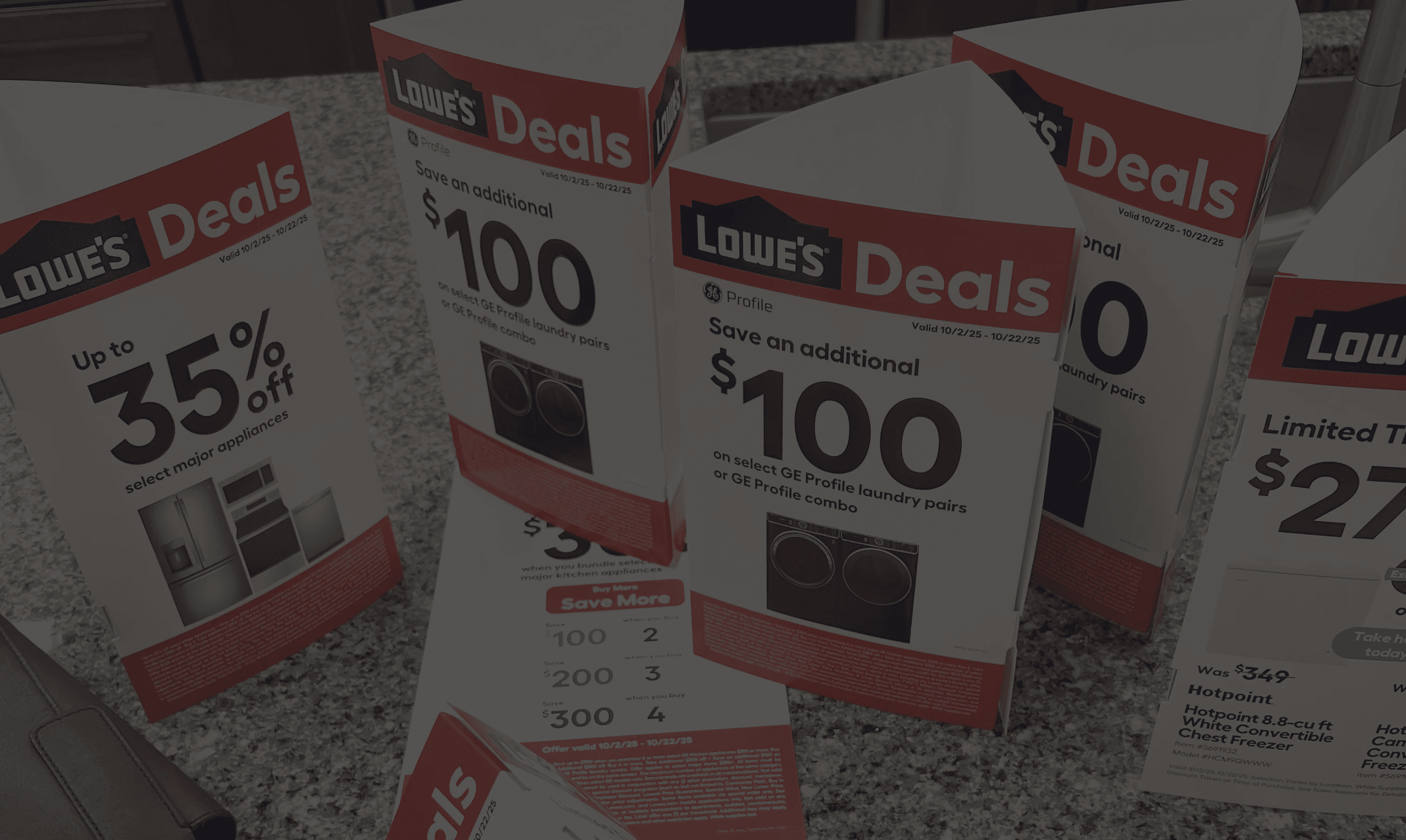
I shadowed users across several different stores to observe their promotional signage execution process. To do this, I followed a protocol that I helped establish for my broader UX team. I identified my local Lowe's stores, reached out to the store leadership via email or introduced myself in person, and then set up a cadence of weekly visits that did not interfere with high customer traffic or urgent store projects. My users in particular worked from 5am-2pm, but there were also overnight teams. What I learned during my field research for the Promotional Signage workflow was that our users were not consistently following the process as directed by business leadership. I validated many of the pain-points identified during the requirements gathering phase and was able to better assess the opportunities for enhancement that would yield the greatest improvement in the user experience. Because I was also the acting PM, at this phase I documented the necessary front-end and back-end user stories in Jira in partnership with the software engineer lead on my team.
Ideation

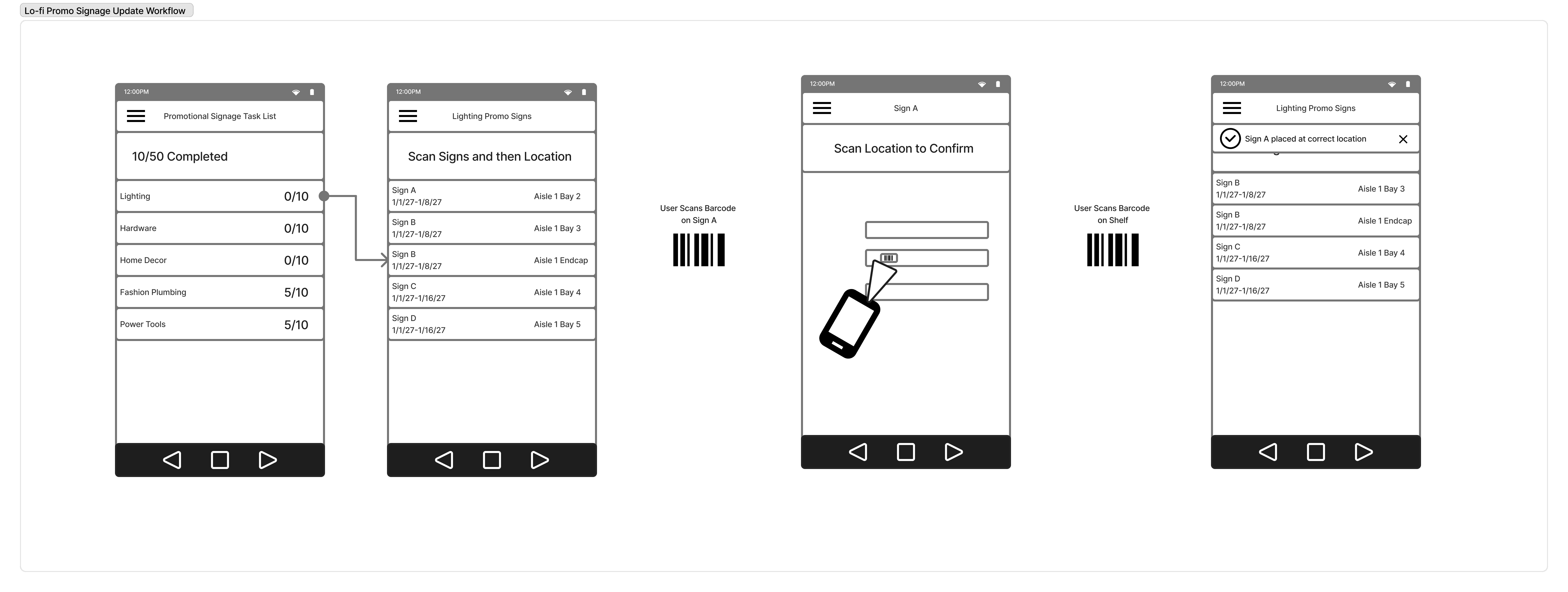
For initial concept testing with users and further validation with my engineering partners on feasibility estimation, I generated lo-fi wireframes. Concept testing was informal - I would often carry my laptop around the store and approach users that were not with customers and ask them to review the lo-fi wireframes. While I did not leverage a usability script for this phase, I kept detailed notes as the users provided feedback. For this project, I visited three different stores and spoke with 4-5 users per store. I made sure to speak with associates that ranged from new-hire to more tenured.
User Testing

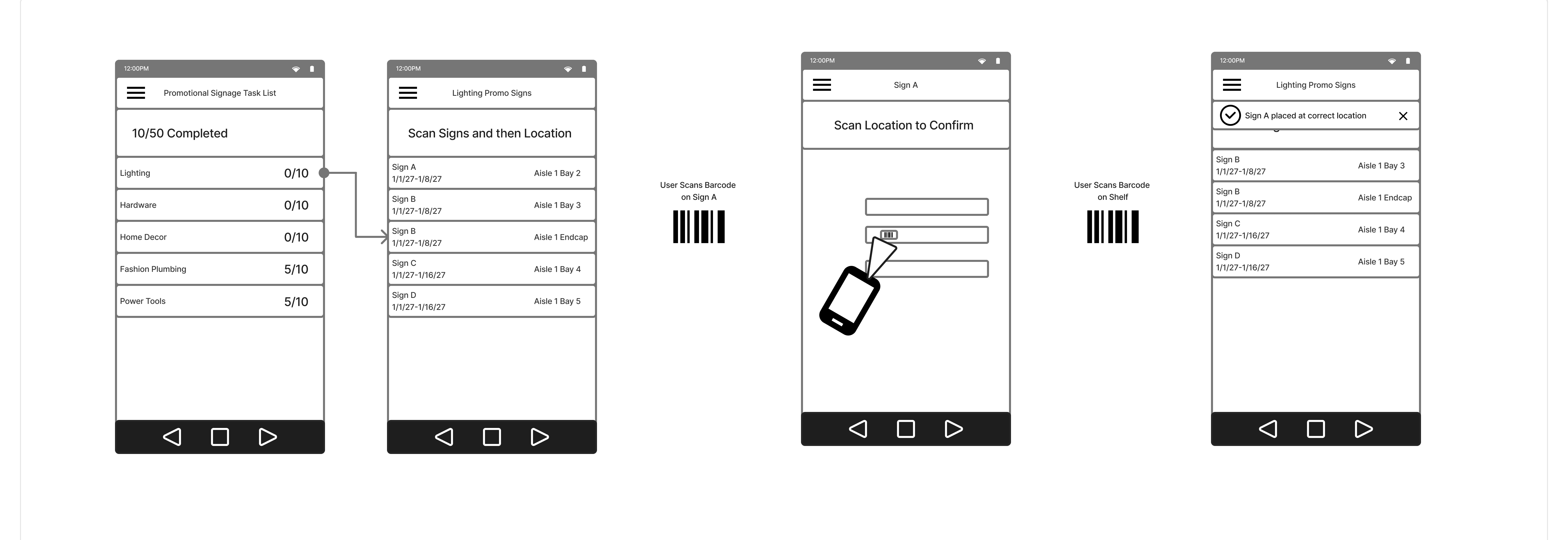
I organized the promotional signage tasks the same way the signage packets were already being distributed - by department. Users will use the built-in scanner on their mobile Zebra device to check each sign into its indicated location. User testing was successful! Our assumption that users would be familiar with the item and location scanning was proven valid as they easily completed tasks in testing.

Merchandising Tasks App

Mobile App | Android Zebra Device

30,000+ Users | Merchandising Store Associates (Blue Vests)
The goal of the Merchandising Tasks App was to streamline the workflows of store associates responsible for the upkeep of the store. In addition to reduction of cognitive load, we also aimed to optimize sales through strategic task prioritization and assignment as well as create visibility for field leaders into quality of execution and associated metrics.

Merchandising Tasks App

Mobile App | Android Zebra Device

30,000+ Users | Merchandising Store Associates (Blue Vests)
Product Team Structure: 1 Product Designer, 1 Product Manager, 8 Engineers
Feature: Task Assignment

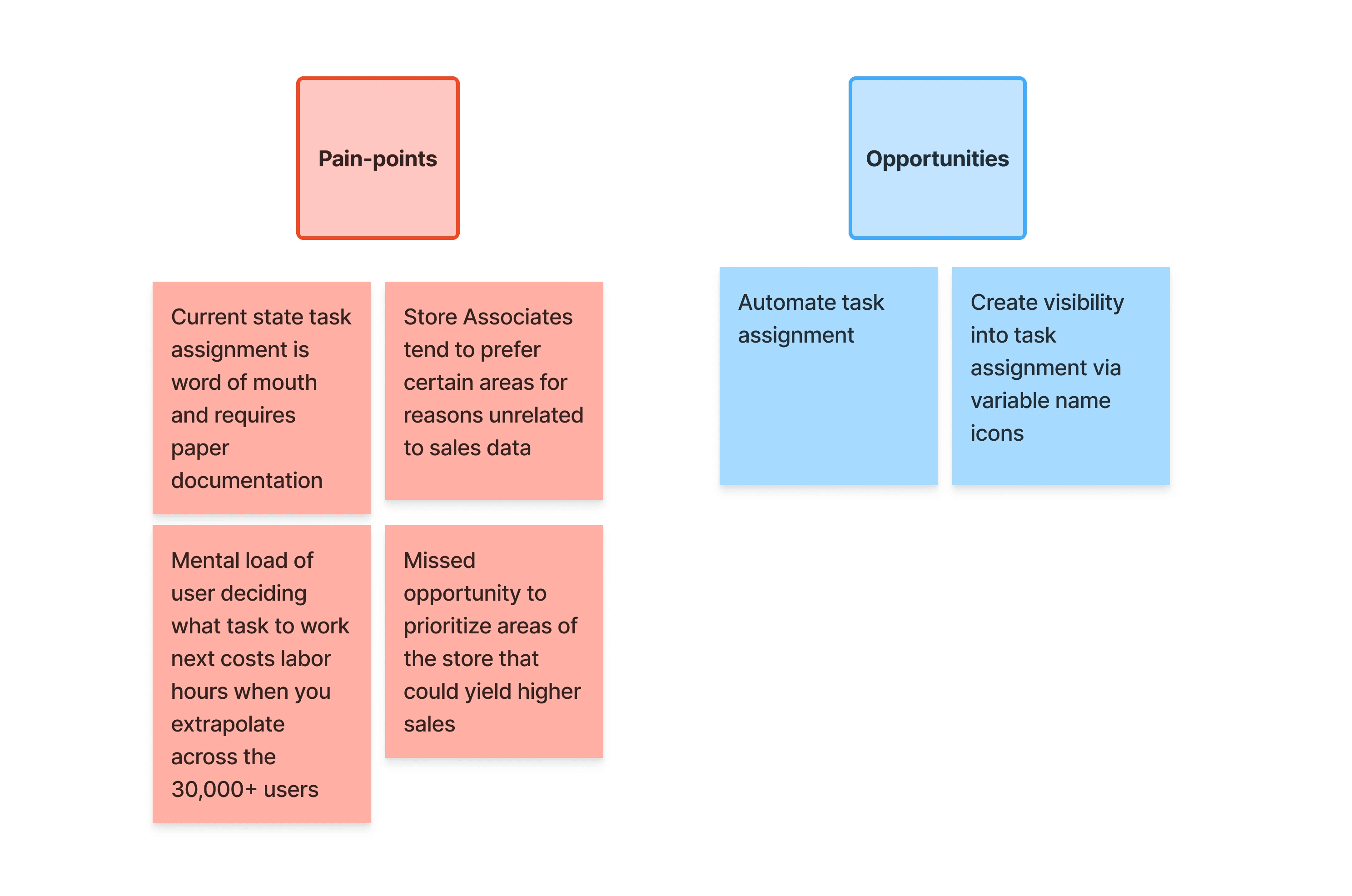
Problem Statement: Originally, users were responsible for selecting areas of their store to maintain. Because of this, areas of the store which may have yielded higher sales were at times neglected and time was lost during the arbitrary decision making process of the store associate.
Our business partners requested we give store managers, who have greater visibility into sales data, the ability to strategically assign tasks to their store associates in a way that optimized sales. Visibility into the task assignment, which would occur in an upstream web application, would need to be reflected in the Merchandising Tasks App.
Feature: Task Assignment

Problem Statement: Originally, users were responsible for selecting areas of their store to maintain. Because of this, areas of the store which may have yielded higher sales were at times neglected and time was lost during the arbitrary decision making process of the store associate.
Our business partners requested we give store managers, who have greater visibility into sales data, the ability to strategically assign tasks to their store associates in a way that optimized sales. Visibility into the task assignment, which would occur in an upstream web application, would need to be reflected in the Merchandising Tasks App.
Feature: Task Assignment

Problem Statement: Originally, users were responsible for selecting areas of their store to maintain. Because of this, areas of the store which may have yielded higher sales were at times neglected and time was lost during the arbitrary decision making process of the store associate.
Our business partners requested we give store managers, who have greater visibility into sales data, the ability to strategically assign tasks to their store associates in a way that optimized sales. Visibility into the task assignment, which would occur in an upstream web application, would need to be reflected in the Merchandising Tasks App.
Project Duration: February '25 - April '25

Requirements Gathering

In partnership with my Product Manager, I collected requirements from our business partners so that we could define the problem statements and identify metrics of success.
User Validation

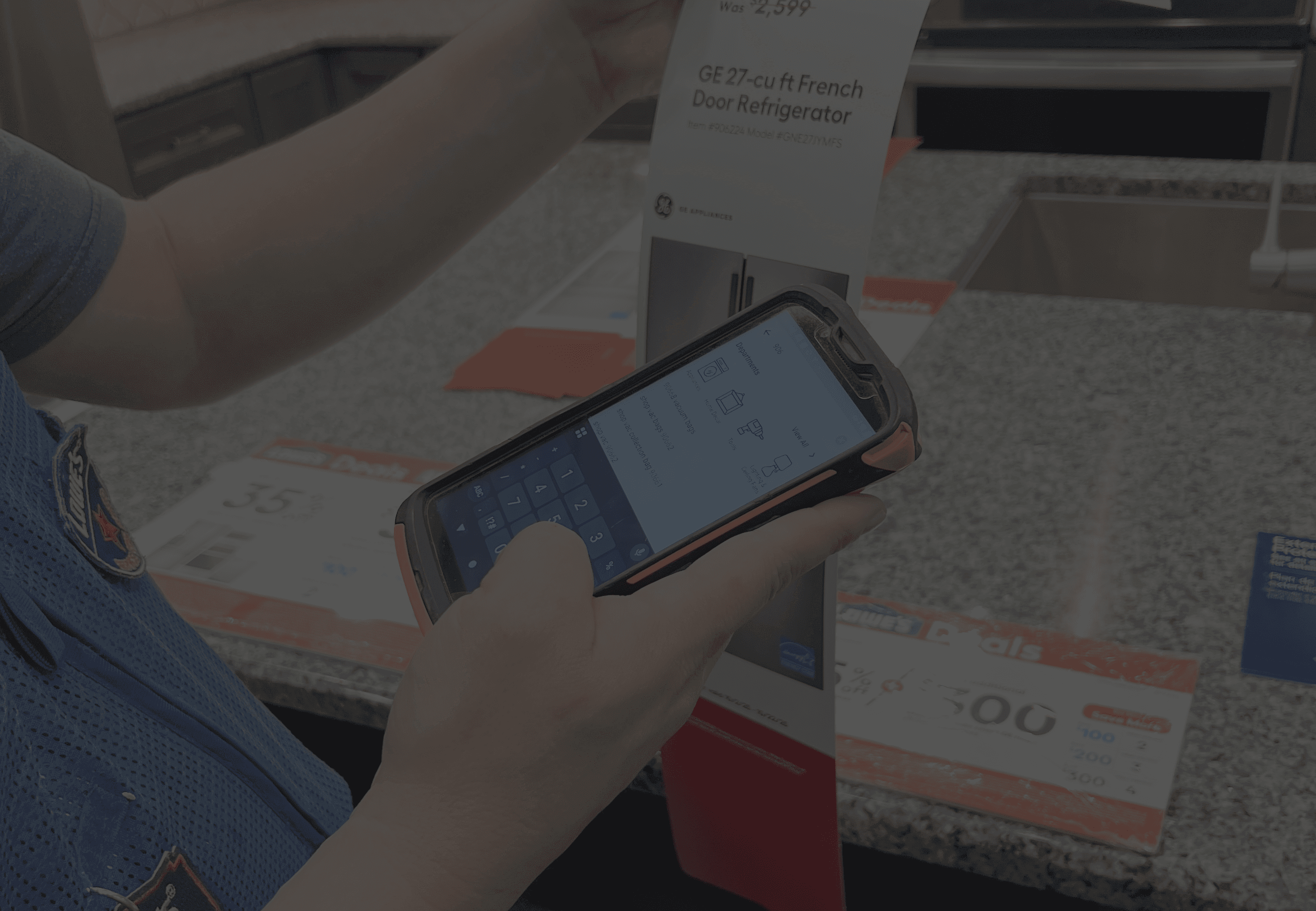
I shadowed merchandising store managers to see how tasks were currently distributed - word of mouth and paper. I then measured the length of time it took for store associates to determine what task to work next.
Ideation

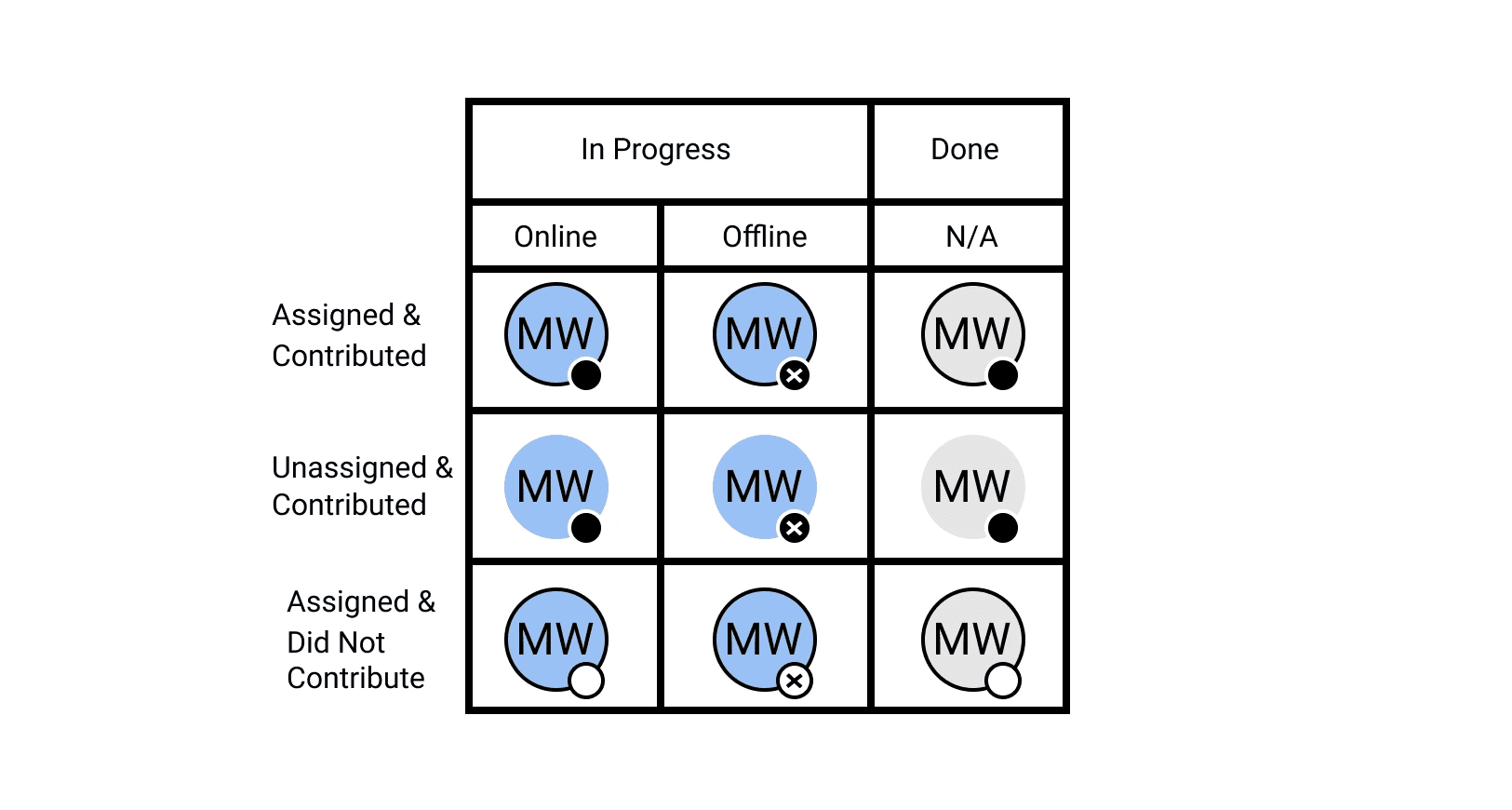
At the time, the app showed an icon with store associates' initials to track whoever had worked on a particular area of the store. I expanded upon these existing name icons and created variants so that they would indicate different statuses. This would be a reflection of tasks assigned by managers in an separate portal.
User Testing

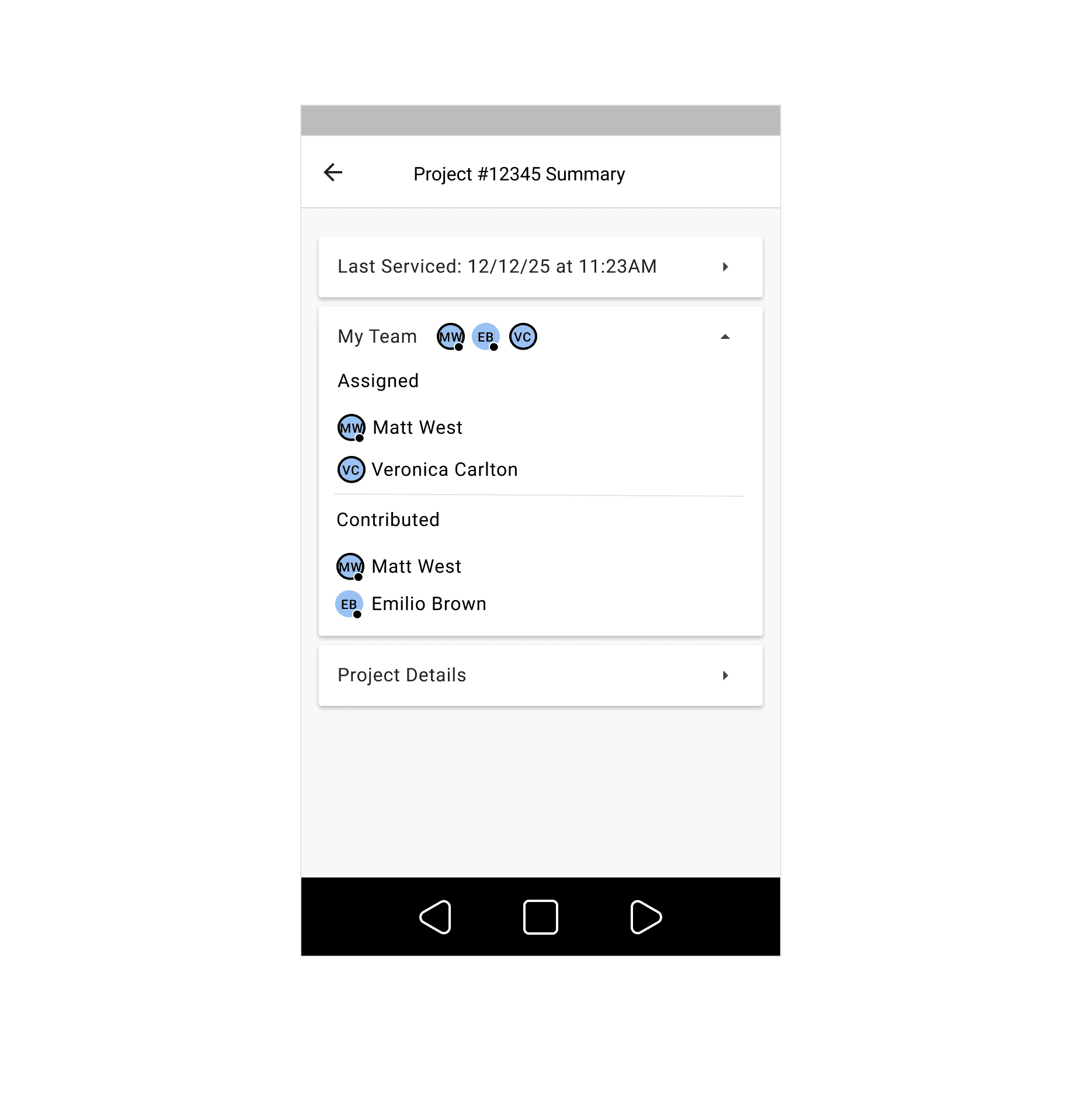
Through testing, I discovered that users wanted the different icon variants defined within the app, so in our final iteration we spelled out the meaning of each status and associated icon within the task summary view.
Metrics After Release

Sales optimized task assignment yielded higher productivity and an associated increase in sales. The numbers below reflect data collected after the implementation of features that worked together to minimize mental load and streamline task completion.

384K

384K

extra bays serviced

extra bays serviced

~$2.9M

~$2.9M

140K hours of labor saved

140K hours of labor saved